 Photo Tape
No. 1 · Widgets
Always up to date. Never one more app to open.
Put the people you love on your Home Screen. Photo Tape's widgets pick up every new print, sticker and note through the day, and turn over at midnight.
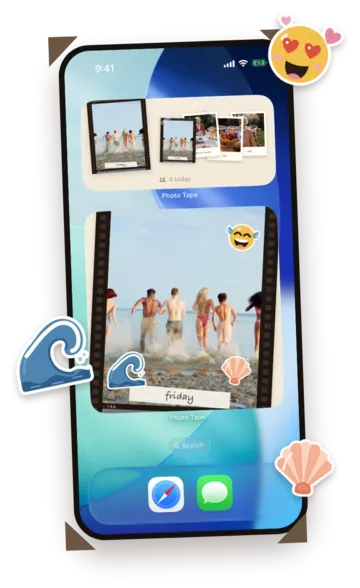
4 today — it counts who posted

Choose what each one shows

Smallone print


Mediuma fan of the latest prints



Largethe print with its stickers
everyone you follow, newest first

Smallone print


Mediuma fan of the latest prints


Largethe print with its stickers
one person, always on your Home Screen

Smallone print
Mediuma fan of the latest prints

Largethe print with its stickers
your own day, with what they stuck on it
What keeps it current
A new print
Someone posts, and the widget shows it the next time you look.
A sticker
Stuck on a print, it shows up on the large widget, holo and all.
A note
When someone writes back, the widget counts it where you'll see it.
Midnight
The day turns over, the widget starts fresh, and a button on it starts today's frame.
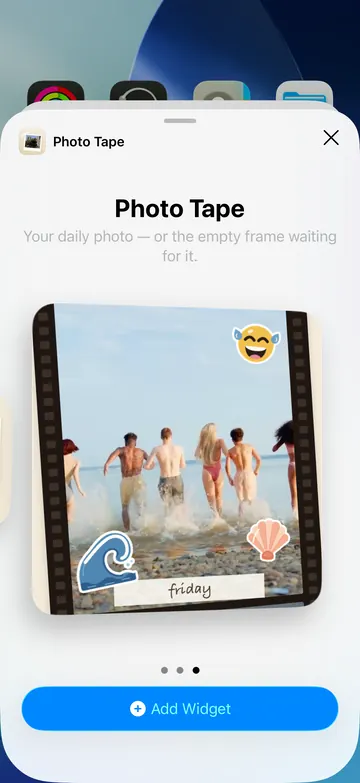
Add it in three steps
- 1Touch and hold an empty part of your Home Screen until the apps jiggle.
- 2Tap + (or Edit, then Add Widget) and search for Photo Tape.
- 3Pick a size, then touch and hold it to choose what it shows: the latest from everyone, a friend's photo, or your last one.
Want today's frame on the Lock Screen too? That's the Live Activity →


