Photo Tape
Most couples already share photos all day. A blurry lunch, a screenshot, a dog spotted on the walk home, three versions of the same sunset. It adds up to a lot of pictures and, oddly, not much of a picture of each other’s day. One photo a day is a smaller habit with a different feel. You pick one moment, send it to one person, and that’s it until tomorrow.
This note looks at why that limit works, where a shared feed or a busy chat falls short, and how to try the one-a-day idea with or without an app.
What a shared feed gets wrong for two people
Shared albums and social feeds were built for collecting and broadcasting. They are good at both. They are less good at the small, private exchange two people in a relationship actually want.
A few things tend to happen:
- Volume crowds out meaning. When there is no limit, you post everything. When everything is posted, nothing stands out. The photo your partner would have loved sits between eleven others.
- The feed asks to be checked. A stream of new items has no natural end. You scroll, you catch up, you fall behind again. That is a small chore, and small chores quietly push out small pleasures.
- Audience changes what you share. Even a “close friends” list has an audience. People pick prettier shots and safer captions when more than one person is watching. The photo of a messy kitchen at 7 a.m. rarely makes it.
- Chats bury photos. In a messaging thread, a picture scrolls away under logistics within an hour. “Can you grab milk” wins over the light on your desk.
None of this makes feeds or chats bad. They are just tuned for a different job.
Why one photo works better
A daily limit of one changes how you look at your own day. Instead of capturing everything, you start noticing the one thing worth passing on. That small act of choosing is most of the value.
It makes you look for the other person
When you know you’ll send exactly one photo, you start thinking about who will see it. Would she laugh at this? Has he seen this street before? The photo becomes a small message about them as much as about you.
It has an ending
One photo a day has a built-in finish line. You send yours, you see theirs, and you’re done. There is nothing to catch up on. That makes it much easier to keep doing for months, because it never grows into a backlog.
Ordinary days count
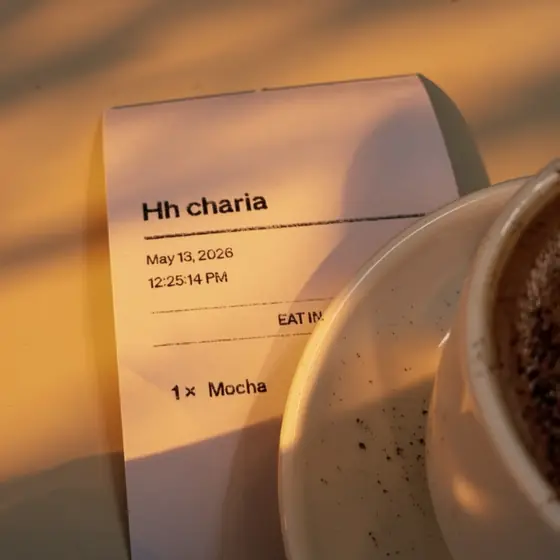
Feeds reward highlights. A one-a-day exchange rewards honesty, because a quiet Tuesday still gets its photo. Over time those plain days are often the ones you remember: the bus window, the coffee cup, the cat asleep on the laundry. They show what someone’s life actually looks like when you’re not there.
It builds a record without trying
Keep it up for a while and you end up with a calendar of two lives side by side, one frame from each day, from each of you. Much of the value shows up later, when you scroll back and find a week you had almost forgotten.
How to try it this week, with any tools
You can start tonight with what’s already on your phone. A few simple rules help:
- Agree on one photo each, per day. Say it out loud. The limit is the point.
- Pick a channel that’s only for this. A separate chat thread or a two-person shared album keeps the photos from getting mixed with everything else.
- Allow plain photos. Make it clear that a boring photo is fine. The habit lasts longer when no one feels they have to perform.
- Add one line, at most. A short caption gives context without turning the photo into a conversation you have to keep up.
- Don’t keep score. If one of you misses a day, the other one still posts. Nobody owes anybody.
Try it for two weeks before deciding whether it suits you. The first few days can feel forced. By the second week, most people find they’re already noticing things during the day that they want to send.
Where the photo lands matters
A chat thread has one weak spot for this habit. You still have to go and look. Open the app, find the thread, scroll to the photo. On a busy day, that might not happen until late at night.
A home-screen widget fixes this in a quiet way. The photo is simply there when you unlock your phone. You don’t open anything. You see their morning while you’re checking the time.
That is the idea behind Photo Tape, an iPhone app we’re building for exactly this. You take one photo a day for your person. It lands on their home-screen widget, and theirs lands on yours. If they haven’t posted yet, the widget shows an empty “today?” frame, which is a gentle nudge without being a notification. At midnight it flips to a new day.
A few things in Photo Tape are there to keep the habit light:
- You can shoot with the camera or pick from your library, so a photo from earlier in the day still counts.
- Looks like faded, warm or noir, plus film grain, let a plain photo feel like a print without much effort.
- Reactions are stickers stuck onto the print, and notes are small taped paper scraps. They let you answer a photo without starting a long thread.
- A daily streak keeps count if you like that sort of thing, and reminders adapt to when you usually post.
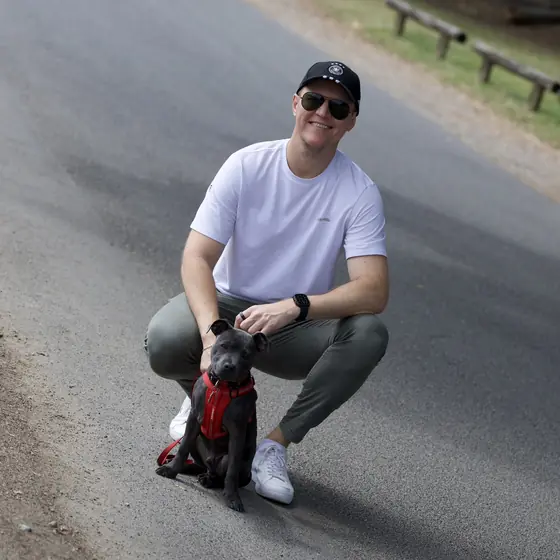
Ann and Sandro, the couple you’ll see on our site, show the simplest version: one photo each, most days, nothing more.
Keeping it private
A photo meant for one person should stay with that person. If you set this up with a shared album or a chat, check who else is in it and whether the service keeps copies on its own servers.
Photo Tape has no server of its own and no account to create. Your photos stay in your own iCloud and are shared with the other person through iCloud sharing. Their phone reads them from there. If you remove someone, their access ends. You can read the details in the privacy section.
When a shared feed is still the right call
One a day doesn’t fit every job. If you’re planning a trip, collecting wedding photos, or sending your mom forty pictures of the new baby, a shared album is the better tool. Use both. Let the album hold the volume, and let the one-a-day habit hold the small, daily hello.
If you want to try the widget version with your person, you can join the Photo Tape beta. It’s free during the beta, Pro included, and runs on iPhone with iOS 17 or later.